NBN Faults Explained: FTTN, FTTB, FTTC, FTTP and the Infamous Bridge Tap
Oct 13, 2026
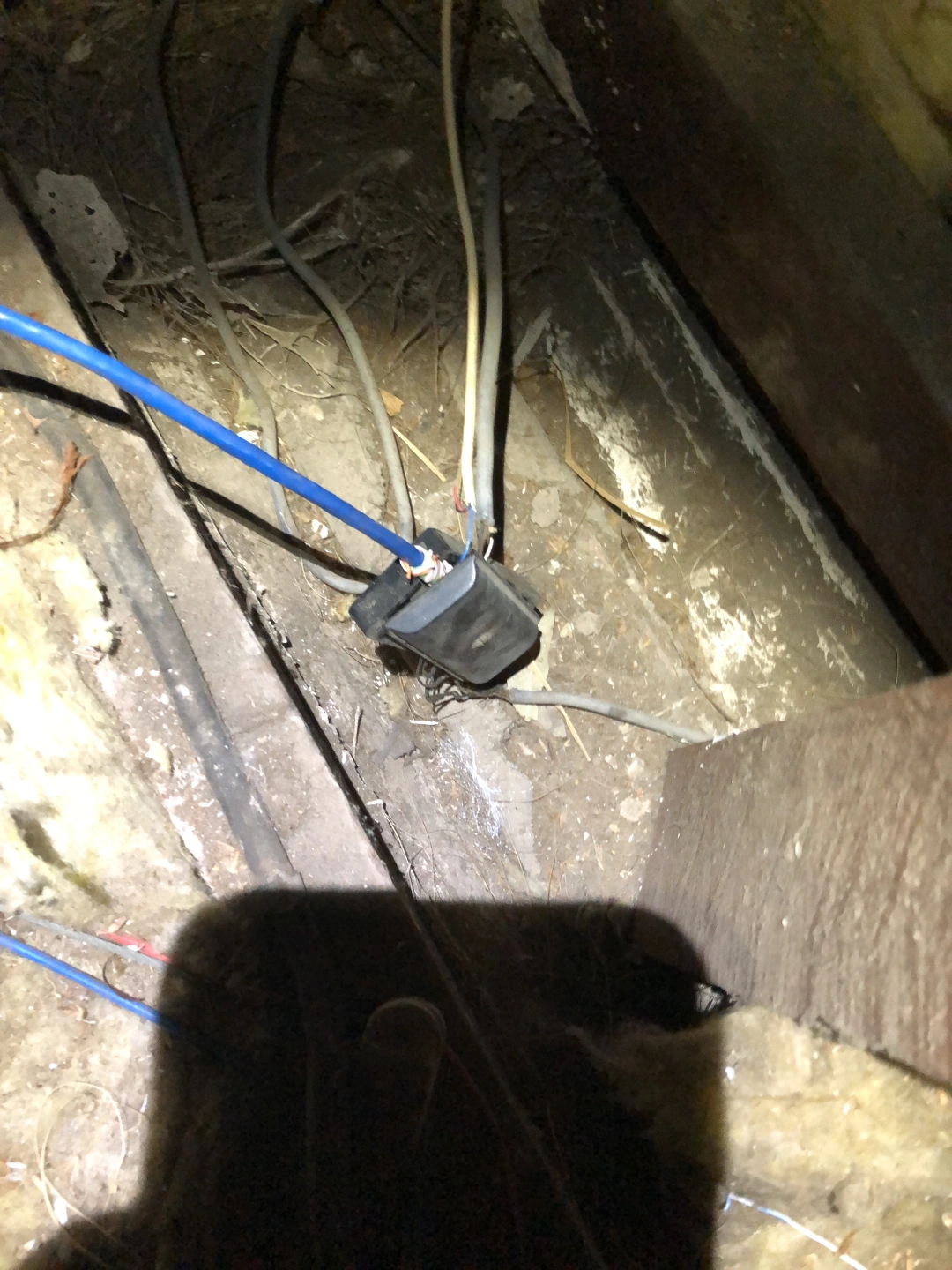
The NBN has a way of making you feel like you're the only one with a problem. Your neighbour's connection is fine. Your mate on the same street has no issues. But yours drops out during Teams calls, crawls at 7pm, and has been "fixed" by your provider three times without anything actually changing.
Here's the thing: it's usually not your fault, and it's usually not a mystery. Most NBN faults come down to one of three things — the copper in the network, the cabling inside your premises, or your own equipment. Knowing which one you're dealing with is the difference between paying for the right fix and chasing the wrong one for another six months.
The NBN Technologies You've Probably Heard Of
FTTN — Fibre to the Node. Fibre runs to a cabinet in your street, then existing copper carries the signal the rest of the way. The further you are from that cabinet, the more the signal degrades. This is why two houses on the same street can have completely different speeds.
FTTB — Fibre to the Building. Fibre runs to your apartment block, then existing internal wiring carries the signal to each unit. The internal wiring is often the weak point — especially in older buildings.
FTTC — Fibre to the Curb. Fibre runs to a box near your property boundary, then the existing copper lead-in covers the last stretch. More reliable than FTTN, but that last stretch can still cause problems.
HFC — Hybrid Fibre Coaxial. High speeds, but old technology. It's a shared medium — your traffic competes with neighbours on the same segment — and the protocol overhead adds latency. Higher latency than full FTTP, which isn't often mentioned.
FTTP — Fibre to the Premises. Fibre all the way. No copper in the access network at all. The most reliable option, and the least susceptible to the faults below.
Fixed Wireless. An antenna on the roof talks to a nearby NBN tower. Used in regional and outer-metro areas. Performance depends on line of sight, distance, weather, and how many other premises are on the same sector. When the tower's congested, there's not much anyone can do.
Sky Muster Satellite. For remote areas where nothing else reaches. Two satellites serve the country, so latency is high by design. A genuine lifeline, but not a substitute for a fixed connection.
With the free fibre upgrade rolling out across Perth, more premises are switching from FTTN and FTTC to FTTP. Worth doing — but it's not a magic fix for everything.
The Free Fibre Upgrade — What It Actually Changes
The upgrade replaces the copper in the access network with fibre. That eliminates a whole category of faults: bridge taps, degraded copper, water in joints, distance-based speed loss.
But here's what people don't realise: the upgrade doesn't touch anything inside your premises. The fibre terminates at an NTD — the NBN box — and from there, everything is the same as it was. The cable to your router, the router, your Wi-Fi, any internal wiring in an apartment building — all unchanged.
So if there was a fault inside your premises before the upgrade, it's still there after. The copper's gone — but the fault was never in the copper.
So Why Do People Still Have Faults on FTTP?
On FTTP, NBN's responsibility ends at the NTD. From there, it's a cable to your router, then your router's Wi-Fi to your devices. A huge proportion of FTTP faults live in exactly that space.
The Ethernet Cable Between the NTD and the Router
This is the one we see more than anything else. Your NTD is often in the garage or a cupboard. Your router wants to be central for good Wi-Fi. So someone has to get a cable from one to the other.
Sometimes it's a long run. Sometimes it's been joined. Extended. Spliced. Daisy-chained through a patch panel and two wall sockets. Coupled together with whatever was on hand.
None of that is unusual, and none of it is malicious. It's what happens when a job needs to get done and the simplest path is to join what's already there.
The trouble is what joins do to a data signal.
Every join introduces signal loss and reflection. Cat5e and Cat6 are designed to run as a single, continuous cable with a characteristic impedance of 100 ohms. Every coupler, splice, punch-down, or wall socket is an opportunity for that impedance to change — and when it does, part of the signal reflects back instead of continuing to the router.
We've opened up runs with four or five joins between the NTD and the router. What arrives isn't a clean data stream — it's the original signal plus multiple delayed echoes of itself.
And it's not always couplers. We've seen runs that go:
NTD → patch lead → wall socket → patch lead → patch panel → patch lead → another wall socket → patch lead → router
That's six or seven passive joins in a single run. No repeater, no switch, no active equipment. Just copper joined to copper joined to copper. On a long run with Cat5e and Cat6 mixed together — different twist rates, different tolerances — you've added impedance mismatches on top of the joins themselves.
Physically, solid-core Ethernet is designed for permanent installation. It's not meant to be spliced or repeatedly plugged and unplugged. The gold plating on RJ45 connectors wears away after enough mating cycles, exposing the metal underneath to oxidation. Every unnecessary join is another point of failure waiting to happen.
The symptoms look exactly like an NBN fault: dropouts under load, reduced speed, instability, sync loss that comes and goes. You call the ISP, they run a line test, and the line comes back fine — because it is. The problem is the patch lead.
The fix is usually simple: one unbroken cable of the correct length and type from the NTD to the router. No joins, no couplers, no patch panels, no mixing cable types. The fault disappears. But it requires knowing to look there in the first place.
The Router Itself
A surprising number of faults come down to the router — failing, outdated, or simply unable to handle the connection. Providers hand out basic units, and they do the job until they don't. When they drop out under load or overheat, it looks like an NBN problem but isn't.
Wi-Fi
This is the big one. Most "internet problems" are actually Wi-Fi problems — weak signal, congested channels, interference, poor router placement. The connection to the premises might be perfect. The connection to your laptop isn't.
What Is a Bridge Tap?
A bridge tap is a length of unused copper wiring that's still connected to your active line. On FTTP it's irrelevant — there's no copper. But on FTTN, FTTB and FTTC, it's one of the most common and most overlooked faults out there.
It might be an old phone socket in a room nobody uses, wiring from a disconnected second line, a junction in the roof with cables running nowhere, or legacy cabling in an apartment building that was never isolated.
To your signal, that unused wire isn't invisible. The signal travels down it, hits the dead end, reflects back, and returns as noise. The longer the unused length, the more noise it introduces. The effects: lower sync speed, dropouts, instability under load, and problems that don't go away on their own.
A bridge tap is essentially a dead-end street your signal keeps driving down, over and over.
We've written about bridge taps in detail — the physics, the diagnosis, and the fix. [Read the bridge tap deep dive here].
Why This Matters
The NBN rollout handed a lot of premises a connection that technically worked, but didn't perform. Sometimes that's the copper. Sometimes it's the wiring inside the building. Sometimes it's the patch lead with five joins in it. Sometimes it's the router. And sometimes it's just the Wi-Fi.
The free fibre upgrade fixes the copper problem — but only the copper problem. Everything past the NTD is still yours to get right.
And if your NBN's been playing up for months, you've had the ISP out twice, the line tests keep coming back fine, and nobody's actually looked at the cable between the NTD and the router — give us a call. That's usually where we find it.